How do I turn off features for my team?
Last updated: October 26, 2026
On a team's Settings tab, Feature Access is where an admin turns features off for everyone on that team. Only a team Admin sees this section.
Click Teams in the left sidebar.
If you belong to more than one team, use the team switcher at the top right to select the team.
Open the Settings tab.
Find Feature Access under Number of Seats.
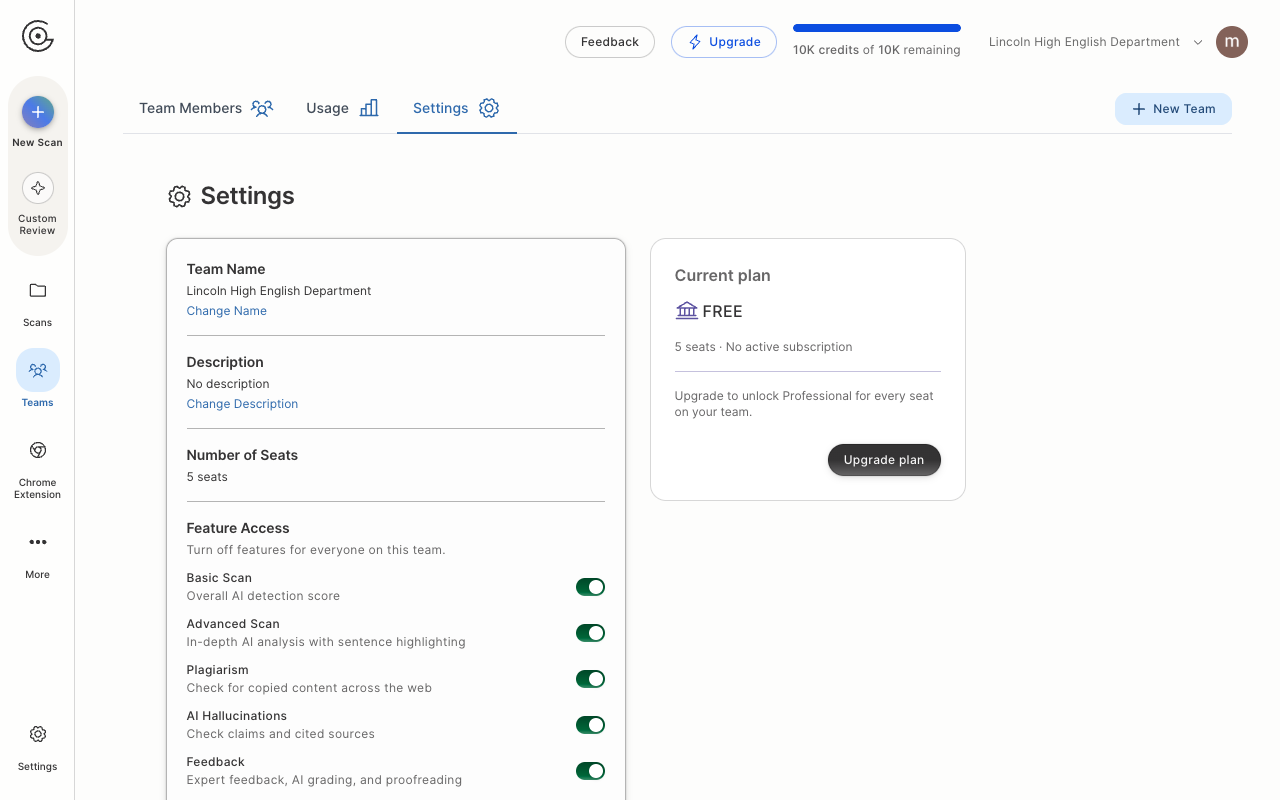
In Feature Access, turn off a switch to hide that feature for all team members. Turn that switch back on to make the feature available to team members again.
Basic Scan. See How do I interpret a GPTZero result?
Advanced Scan. See How do I interpret results from GPTZero's Advanced Sentence Scanning? This switch also hides AI Vocabulary.
Plagiarism. See What is Plagiarism Check?
AI Hallucinations. See What are AI Hallucinations and Fact Check?
Feedback. See What is Feedback? This switch also hides Custom Review and Essay Grader. On a teacher account, the left sidebar labels Custom Review as Grade Papers.