How to Delete a Team
Last updated: October 19, 2026
Deleting a team removes it from your dashboard and cancels the team plan. Only a team Admin can do this.
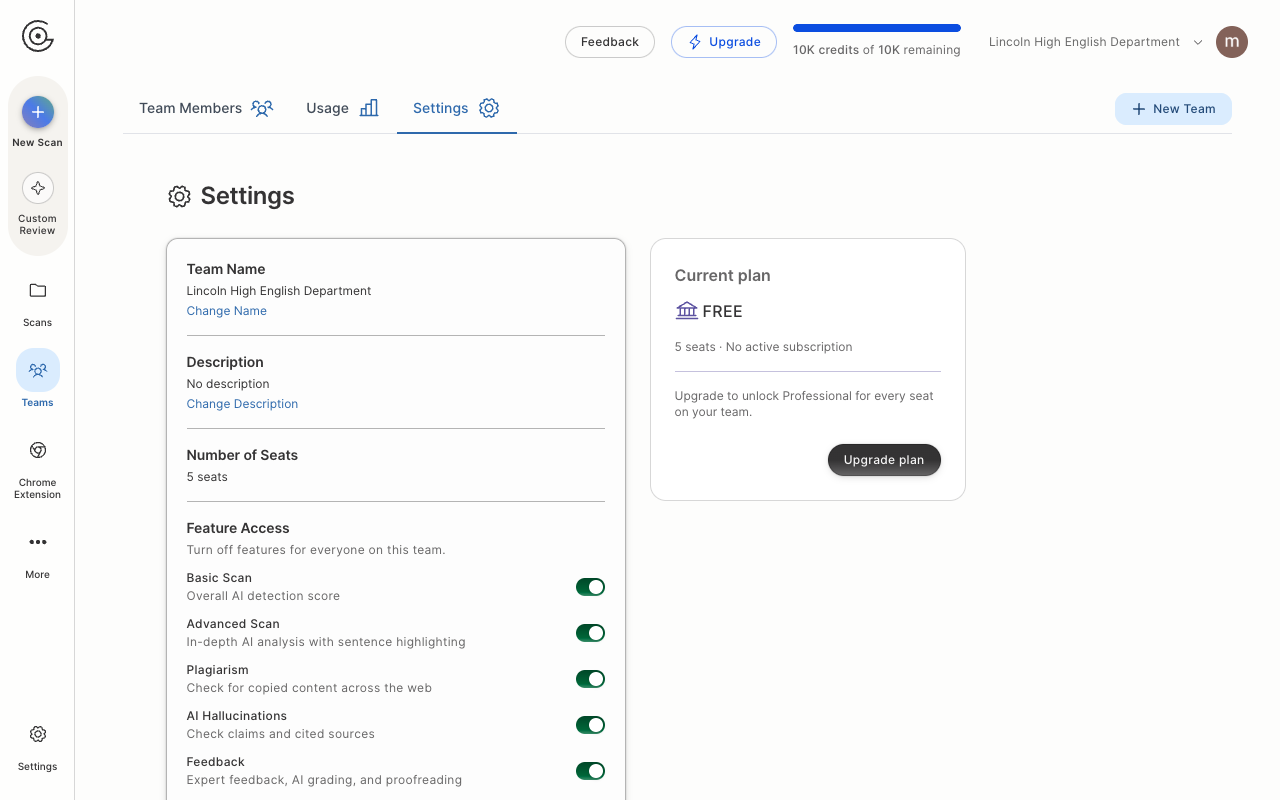
Click Teams in the left sidebar. This appears once you are part of a team.
If you belong to more than one team, use the team switcher at the top right to select the team you want to delete.
Open the Settings tab.
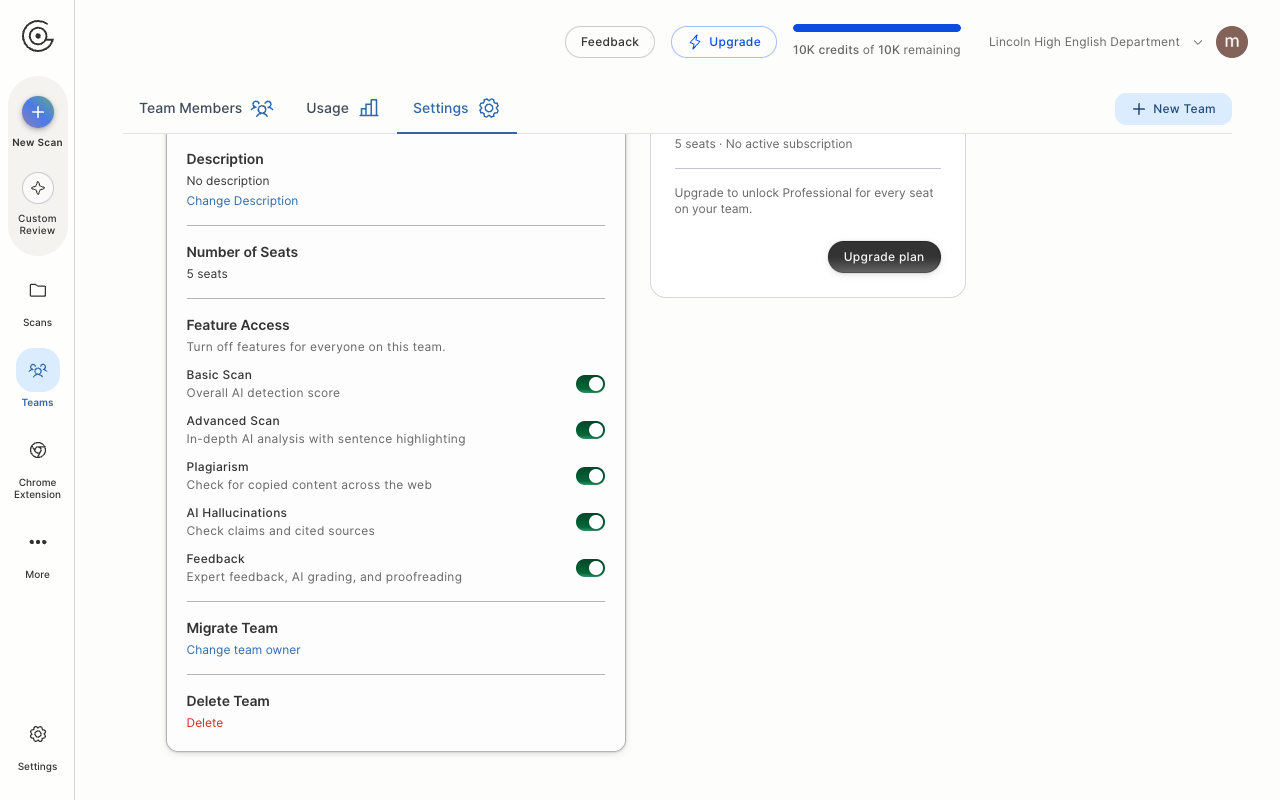
Scroll down to the Delete Team section and click Delete.
In the Delete this team window, type your team's name exactly as it appears, then click Delete team. The button stays greyed out until the name matches.
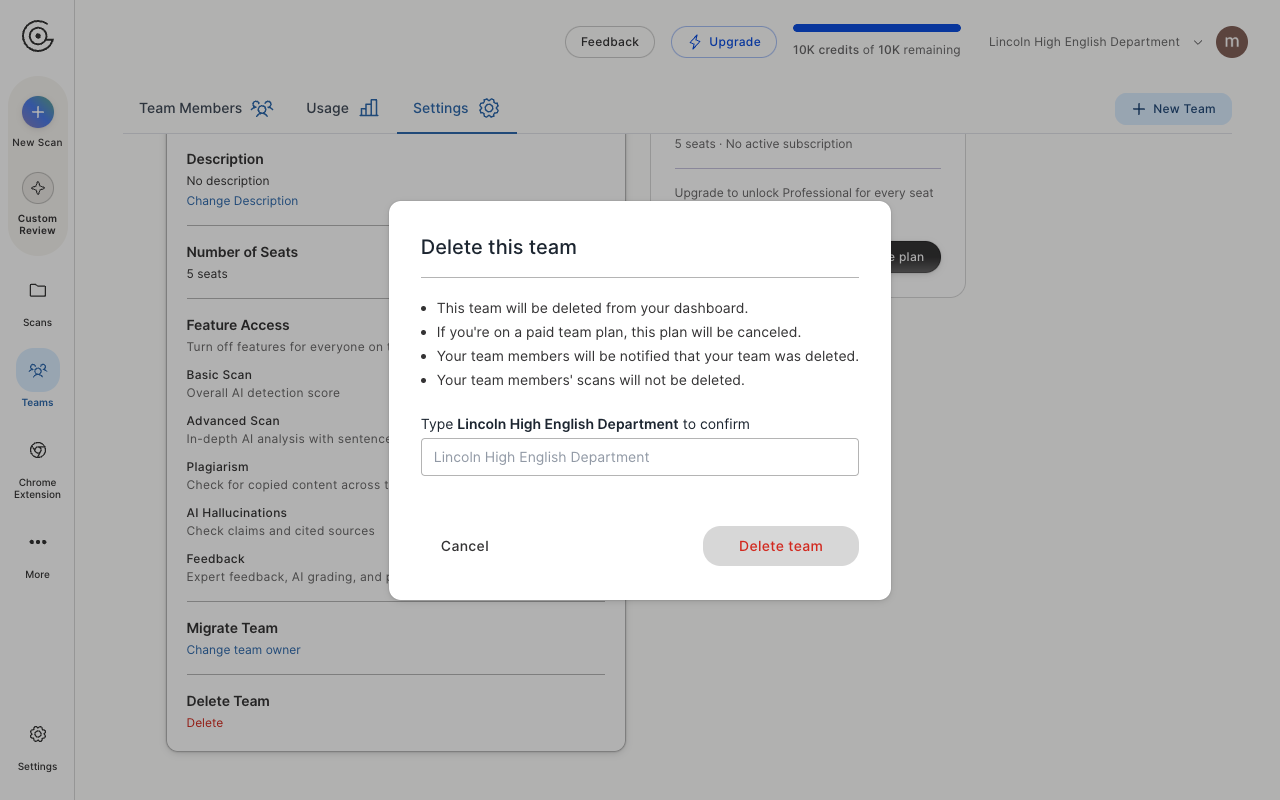
Before you confirm, note what happens:
The team is removed from your dashboard.
If you are on a paid team plan, that plan is canceled.
Your team members' scans are not deleted.
If you only want to hand the team to someone else rather than delete it, use Change team owner in the Migrate Team section instead.