How to Use GPTZero's Custom Review
Last updated: October 19, 2026
What Is Custom Review?
Custom Review gives you structured, criteria-based feedback on your documents. You can use a pre-built reviewer, or describe your own and GPTZero will build a reviewer from it. Each document is scored against the criteria in that reviewer, such as organization or main idea. The scoring scale comes from the reviewer, so it is not always 1 to 5.
If your account role is Educator, the same feature is labeled Grade Papers in the sidebar, and the window title is Upload a Rubric to Grade Papers.
How to Access It
Log in to GPTZero and click Custom Review in the left sidebar. This opens the Custom Review window. There is no separate page for it.
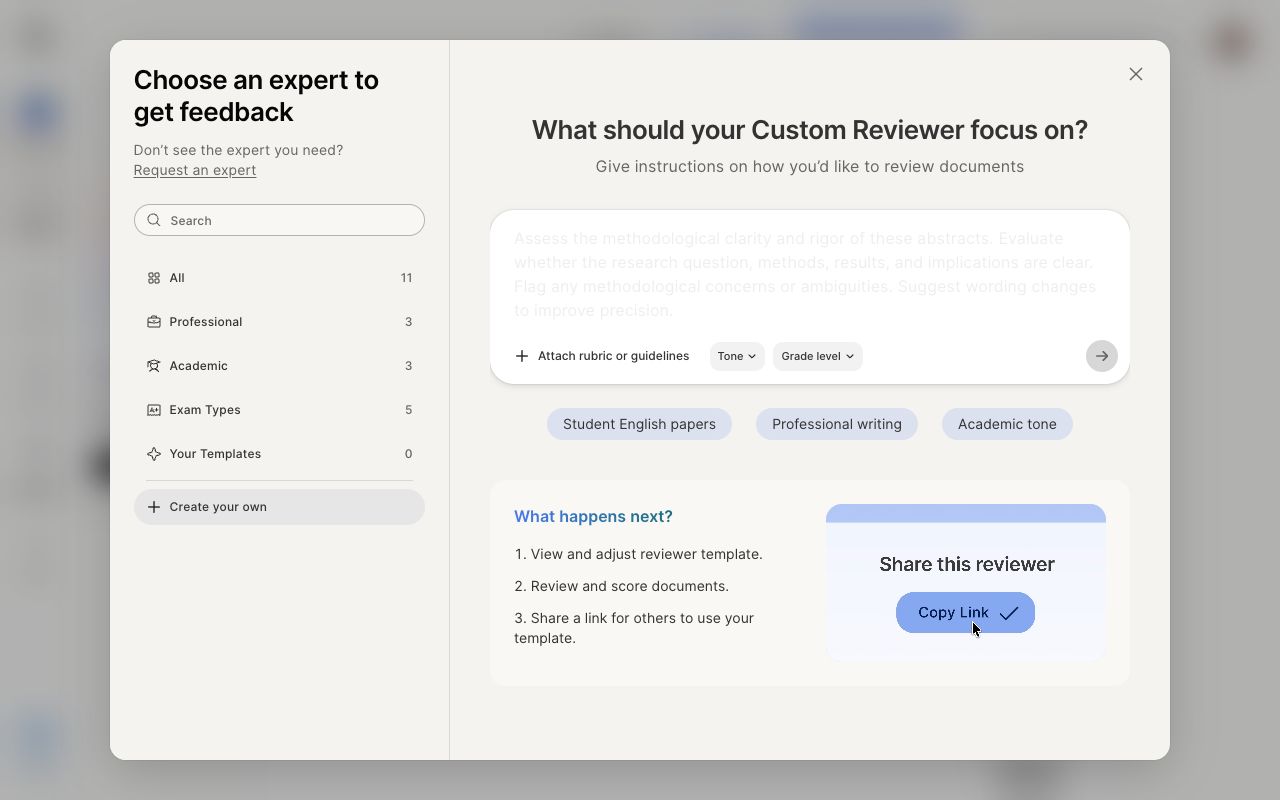
Using a Pre-Built Reviewer
The left side of the window lists pre-built reviewers. They are grouped into Professional, Academic, and Exam Types. You can search, or click a category to filter.
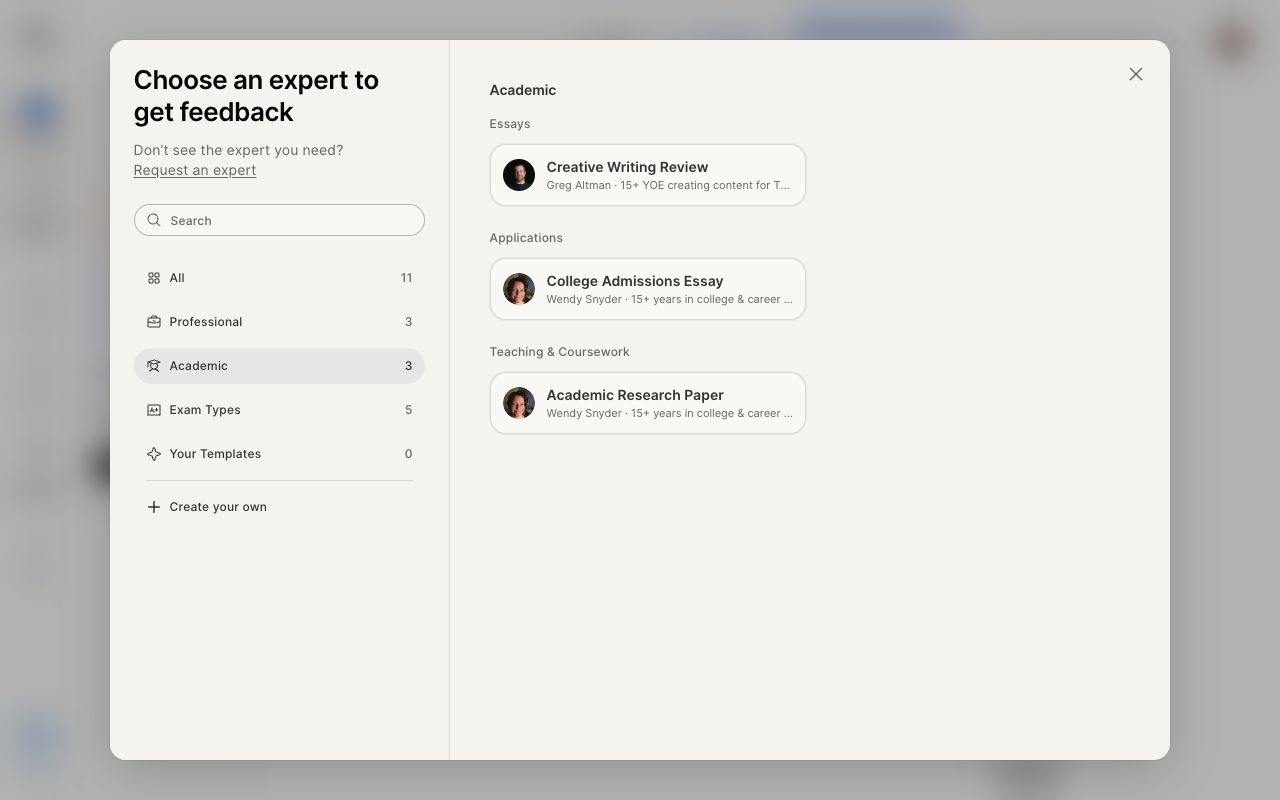
To use one:
Open Custom Review.
Search, or choose Professional, Academic, or Exam Types.
Select the reviewer that fits your documents.
Upload your files and run the review.
Creating Your Own Reviewer
If none of the pre-built reviewers fit, click Create your own.
In the text box, describe what the reviewer should focus on. For example: Review these resumes as a hiring manager. Evaluate fit for the role and identify any major gaps or risks. Make a hire, interview, or reject recommendation. Justify your decision concisely.
Optionally, click Attach rubric or guidelines, or set a Tone and a Grade level.
Or start from one of the suggestions: Student English papers, Professional writing, or Academic tone.
Click the arrow to continue.
GPTZero then:
Shows the reviewer so you can view and adjust it.
Reviews and scores your documents.
Lets you share a link so other people can use your reviewer.
Requesting a Reviewer
If you need a reviewer that is not in the list, click Request an expert under "Don't see the expert you need?" This opens a form. Fill it out and submit it, and our team will follow up.
Who Is This For?
Custom Review is useful for:
Educators giving structured feedback on student writing
Publishers and editors reviewing content against a house style
Hiring teams reviewing resumes or cover letters at scale
Anyone who needs consistent, criteria-based feedback across multiple documents